RMT’s Work Order Management application is a tool to empower public agencies to stay on top of day-to-day operations and community requests. Work Order Management (WOM) is your hub where everything from citizen-reported issues to internal maintenance tasks can be tracked and managed in one place.
Whether it’s picking up old equipment, fixing a drainage problem, clearing debris, or handling any other infrastructure need, the system helps agencies receive, log, assign, and complete work efficiently.
By keeping all this information organized in a single, easy-to-use platform, agencies can ensure every request is handled transparently and on time. This tool empowers agencies to provide faster response times, clearer accountability, and valuable insights into how resources are being used—helping teams continuously improve their operations.
Key Components
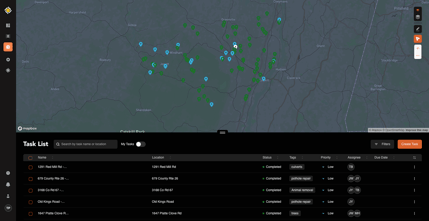 Task List and Task Details: The core of the application, where users can view and
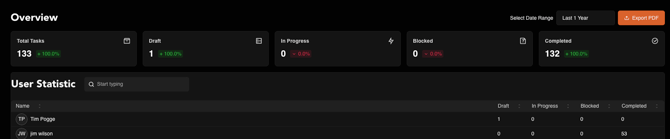
manage all active and completed tasks. Each task includes detailed information such as location, description, assigned personnel, status, and completion notes.- Task Overview Dashboard: A reporting dashboard that provides a high-level summary of all work order activity. It enables supervisors and administrators to track performance metrics, visualize workload distribution, and identify trends across departments or task types.
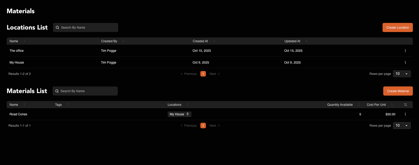 Materials: A utility that allows agencies to create and manage a catalog of materials used for various tasks—such as gravel, signs, culvert pipes, or other resources. This tool helps ensure accurate tracking of material usage and supports cost analysis.
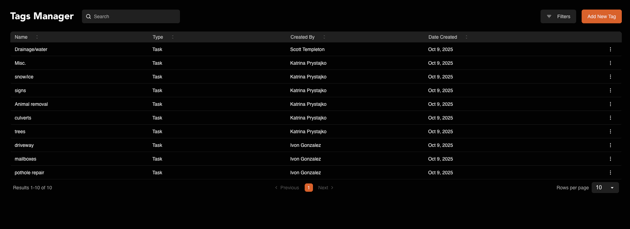
- Tag Manager: A flexible system for categorizing and organizing tasks, materials, and reports using custom tags. Tags make it easier to filter, search, and group related items across the system for reporting and analysis.
The Work Order Management system enables users to configure and personalize the types of notifications they receive from the application. Specifically, users can opt to receive notifications via SMS, Email, as well as within the application whenever a task is assigned to them or when a task is completed.
If you have additional questions please contact support@roadmantech.com. If you’d like to learn how to add Work Order Management to your RMT subscription, please contact your account manager.