
One of the biggest advantages of using a Roadway Lifecycle Management tool isn’t just seeing your road conditions in real time—it’s being able to plan ahead. The Project Planner helps your agency budget and schedule preservation work, so you can stretch taxpayer dollars further while maintaining safer, longer-lasting roads.
Getting to the Project Planner
- On the left side of your screen, hover over the navigation menu.
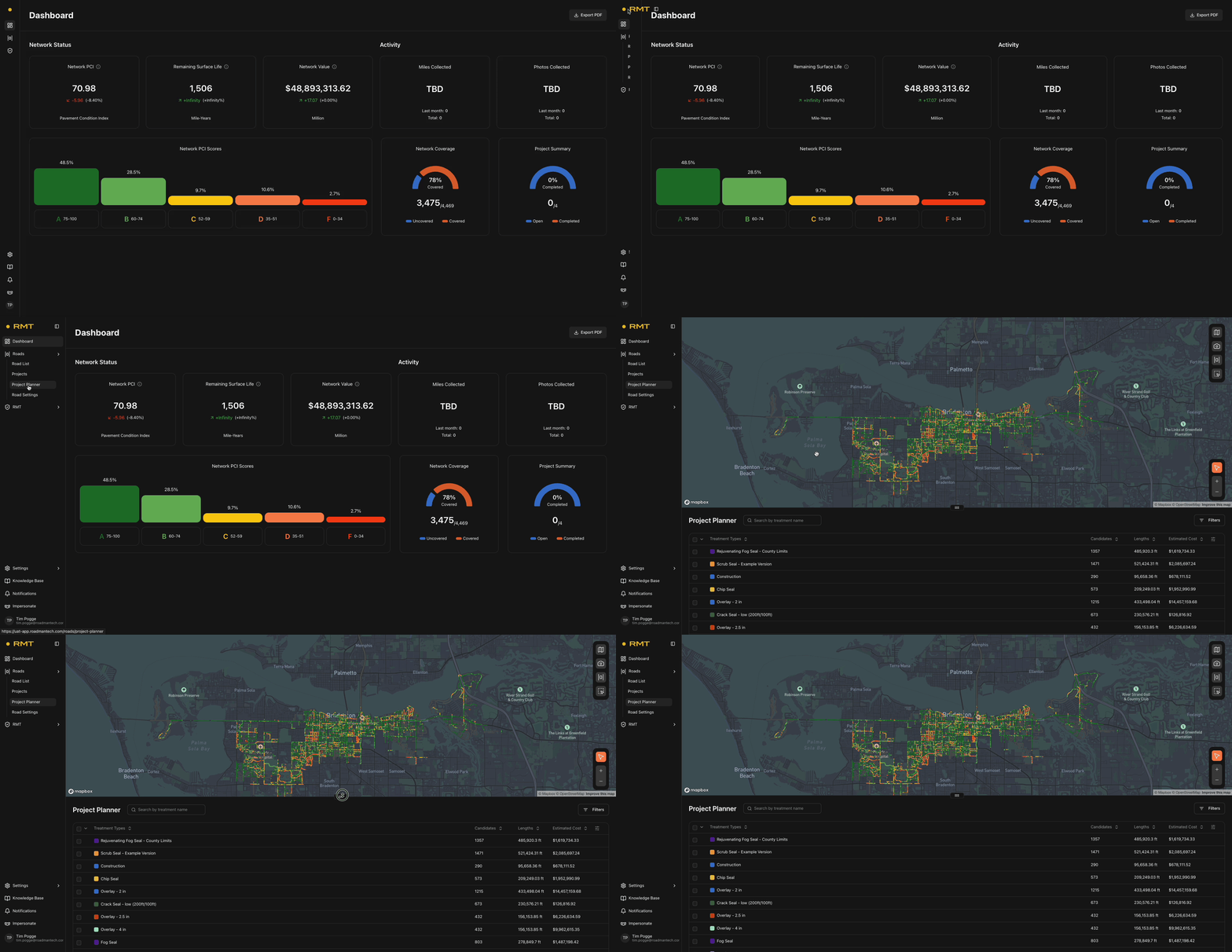
- Under the “Roads” icon, click the dropdown.
- Select “Project Planner.”
When the Project Planner page opens, the top half will look similar to the Roads List view, with a map of your network. The bottom half is different—it focuses on preservation efforts rather than a list of roads.

Before You Begin
Think of a Project like the foundation of a house—you need it in place before you can start building on top of it. Before using the Project Planner, make sure you’ve already created a Project. (If you need help, see our Creating Projects help document.)
Exploring Preservation Efforts
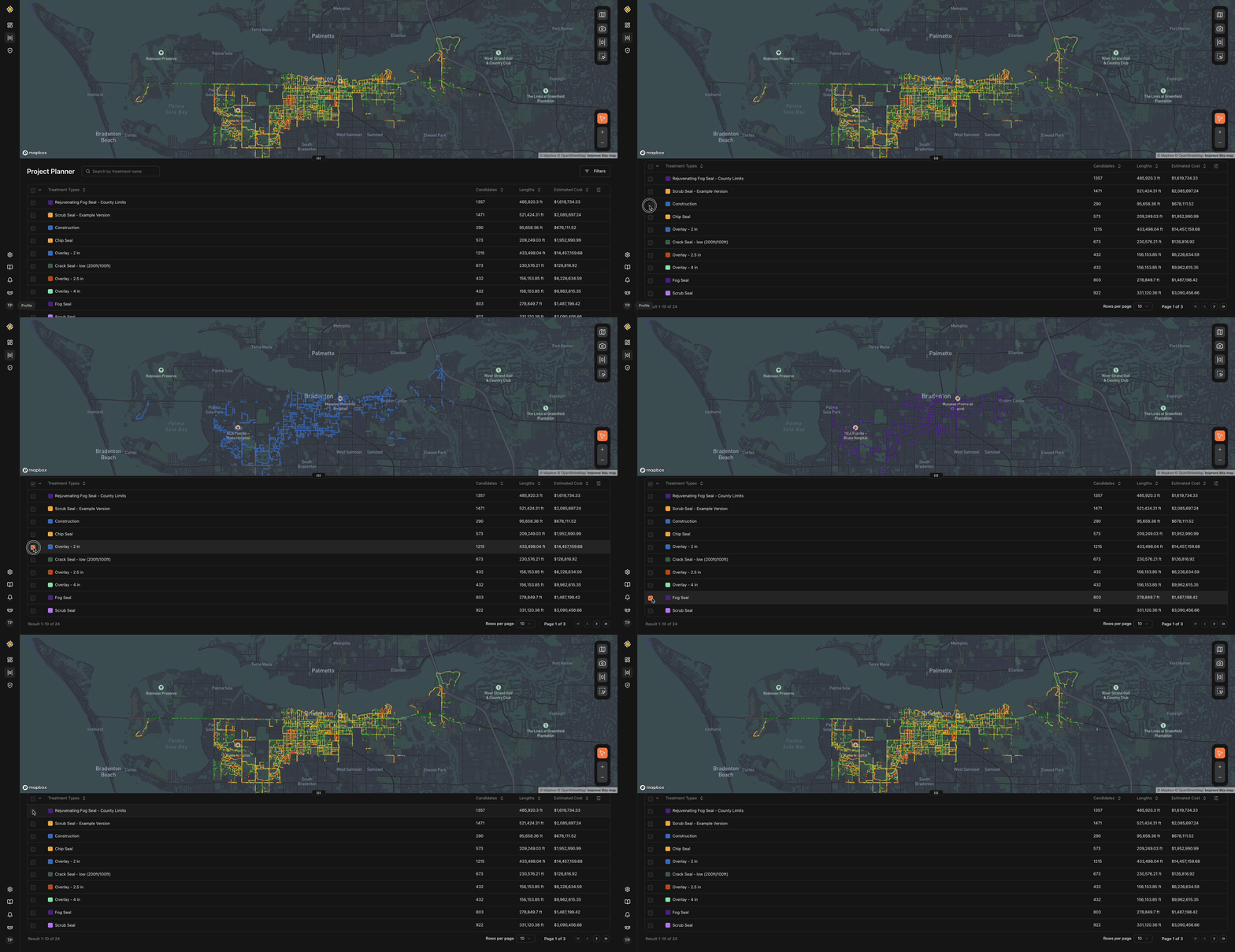 To see which roads qualify for each preservation effort, check the box next to the
preservation type(s) you’re interested in. The map will update automatically to show the candidates.
- To see the full list of road segments for a preservation effort, click on the effort’s name. A panel will slide in from the left, showing two dropdown options:
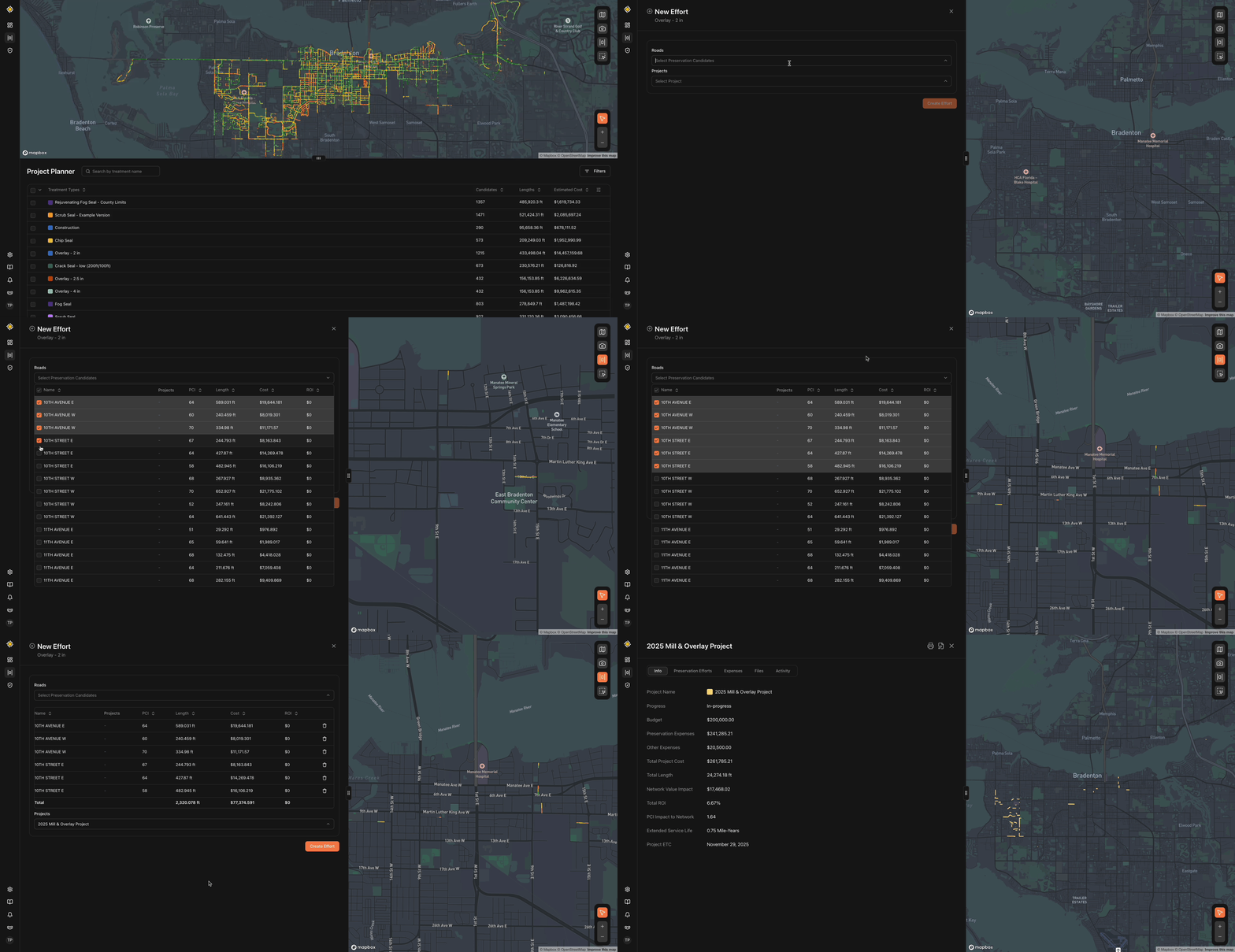
- First, click the dropdown option under "Roads." This will show all roads that meet the criteria for this specific treatment type. As you click the checkbox for each road segment, they'll be added for step two.
- Secondly, click the dropdown under the "Projects" button. You will then be prompted with the different projects that you can add these segments to.
- Finally, click "Update Effort."
-
Adding Candidates to a Project
Once you’ve found the road segments you want to include in a project:
- Check the box next to each road you’d like to add.
- Click “Continue.”
- At the top of the screen, you’ll now see a list of all available Projects in your environment.
- Select the Project you want to add the preservation efforts to.
- Click “Create Effort.”
Why Use the Project Planner?
The Project Planner makes it easy to bring together similar preservation efforts across your road network. Instead of working road by road, you can group efforts into a larger project, helping you see the big picture costs, savings, and return on investment (ROI).
By using this tool, your agency can:
- Simplify project planning
- Prioritize treatments more effectively
- Better forecast budgets
- Demonstrate the value of preservation to stakeholders