Welcome to the Roadway Management Technologies (RMT) guide on understanding the Road Report! This document is designed to help you navigate the reporting feature of our software and interpret the valuable information contained in the road report. Let’s get started with accessing the report and understanding each column of data it provides.
Accessing the Road Report
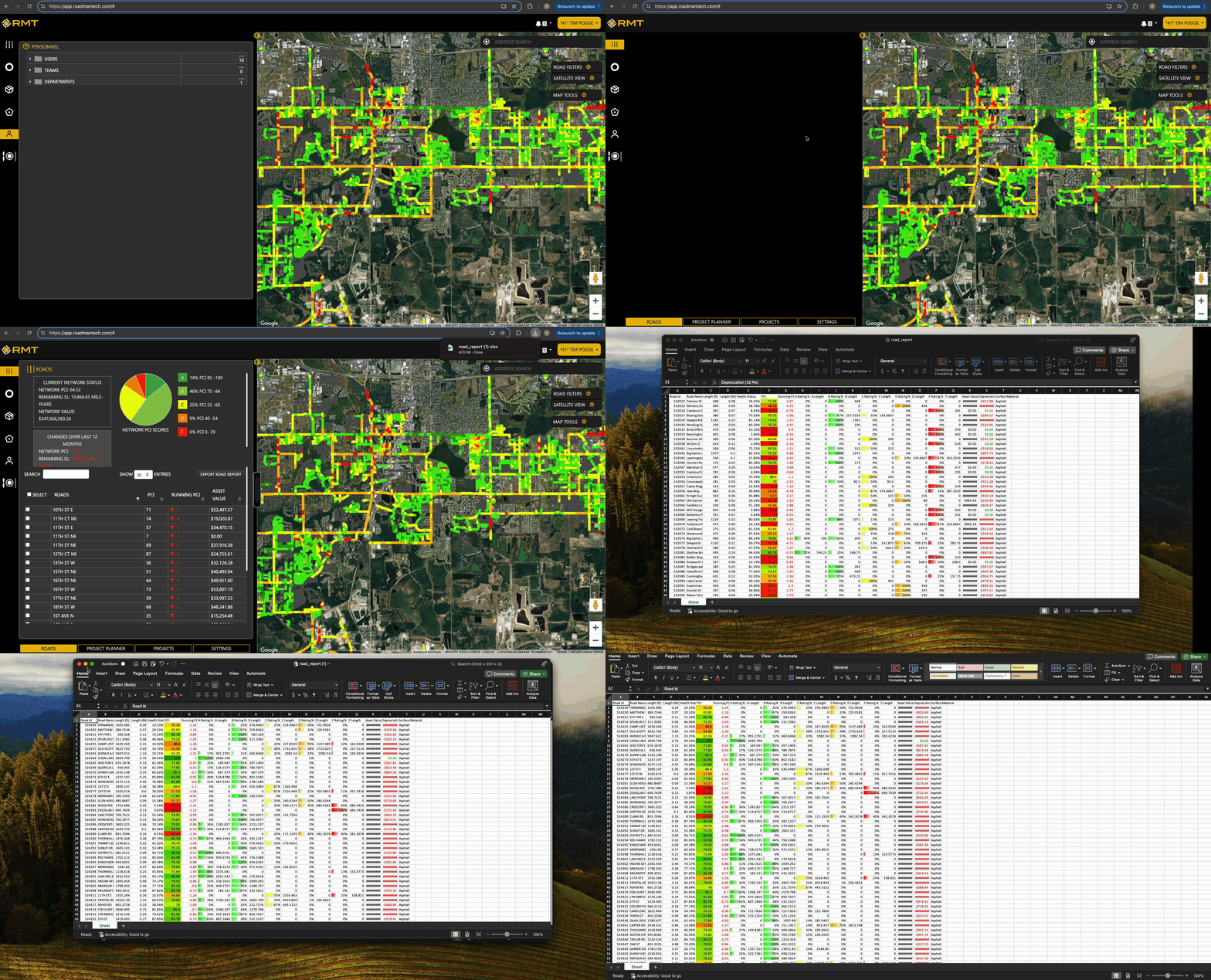
To access the Road Report, please follow these simple steps:
- Navigate to the Roads Tab:
- Look for the Roads tab located in the top left corner of your RMT interface. This tab is represented by a road icon.
- Export the Report:
- Within the Roads tab, you’ll find the Road slider. Above the roads table on the right side, there is a button labeled Export Roads Report. Click this option.
- Download the Report:
- Once you click the export button, a .csv file of the road report will automatically download to your device.
You are now ready to delve into the report and analyze the information regarding your road network!
Understanding the Road Report Columns
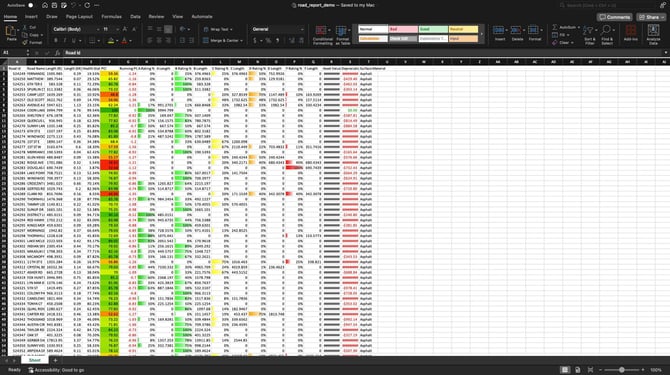
The downloaded .csv file will include 20 columns of valuable data related to the roads in your network. Here’s a breakdown of each column:
- Road ID: A unique identifier assigned to each road segment in your network, used to distinguish one road segment from another. This is an attribute generated and created by your GIS Shapefile.
- Road Name: The official name of the road, helping you easily recognize and locate specific roads.
- Length (ft): The total length of the road segment measured in feet.
- Length (Miles): The total length of the road segment measured in miles, providing a different perspective on the road’s dimensions.
- Health Status: This column displays the health status percentile of your road segment compared to others in your network, indicating how well the road is performing overall. For example, if a road has a 89%, that means that this road is in better condition than 89% of the roads within your network.
- PCI (Pavement Condition Index): A numerical value representing the condition of the road surface, with higher values indicating better condition.
- Running PCI: This column shows the decrease of PCI over the past 12 months, indicating any deterioration in road condition over the year.
- A Rating %: The percentage of the road segment that meets an ‘A’ rating based on its condition, indicating excellent quality.
- A Length: The length (in feet) of the road segment that falls under the ‘A’ rating.
- B Rating %: The percentage of the road segment that meets a ‘B’ rating, indicating good quality.
- B Length: The length of the road segment that falls under the ‘B’ rating.
- C Rating %: The percentage of the road segment that meets a ‘C’ rating, indicating fair quality.
- C Length: The length of the road segment that falls under the ‘C’ rating.
- D Rating %: The percentage of the road segment that meets a ‘D’ rating, indicating poor quality.
- D Length: The length of the road segment that falls under the ‘D’ rating.
- F Rating %: The percentage of the road segment that meets an ‘F’ rating, indicating very poor or failing quality.
- F Length: The length of the road segment that falls under the 'F' rating.
- Asset Value: The current value assigned to the road segment based on the remaining service life. This value is linked to the data entry under the Settings Tab. To learn more about the Settings, please review the The Roads Slider: Settings help document.
- Depreciation over 12 Months: The estimated dollar amount representing the loss in value of the road segment over the past twelve months.
- Surface Material: The type of material used for the road surface (e.g., asphalt, concrete, gravel), providing insights into maintenance needs and durability. This is an attribute provided to RMT as part of your GIS Shapefile that is ingested at the onset of your usage of RMT.
Conclusion
Understanding the Road Report is essential for effective roadway management and maintenance planning. With this guide, you can easily navigate to the report and interpret the data it provides to make informed decisions about your road network. If you have any further questions, feel free to reach out to our support team via support@roadmantech.com! Happy analyzing!